Smart TV Remote for Samsung
Turn an iPhone into a beautifully designed remote for compatible Samsung Smart TVs. This SwiftUI source-code project brings essential TV controls, guided pairing, a number pad, keyboard input, and a swipe touchpad together in a dark, blue-accented interface.
$149
One-time purchase
✓ Complete Xcode project
✓ Full SwiftUI source code
✓ Setup documentation
Smart TV Remote for Samsung · App screenshots
About This Template
Build your own iOS remote-control app with a native SwiftUI foundation and a polished interface inspired by a physical TV remote. The project combines local-network communication with a guided setup flow, helping users pair their television and access the controls they use most.
Customize the app’s name, colors, layout, and experience to suit your product. The interface focuses on television controls without branded streaming-service shortcuts.
The app has been tested on multiple Samsung Smart TVs and Smart Monitors, across more than one device. Supported features may vary by model and firmware.
App Features
Everyday TV controls
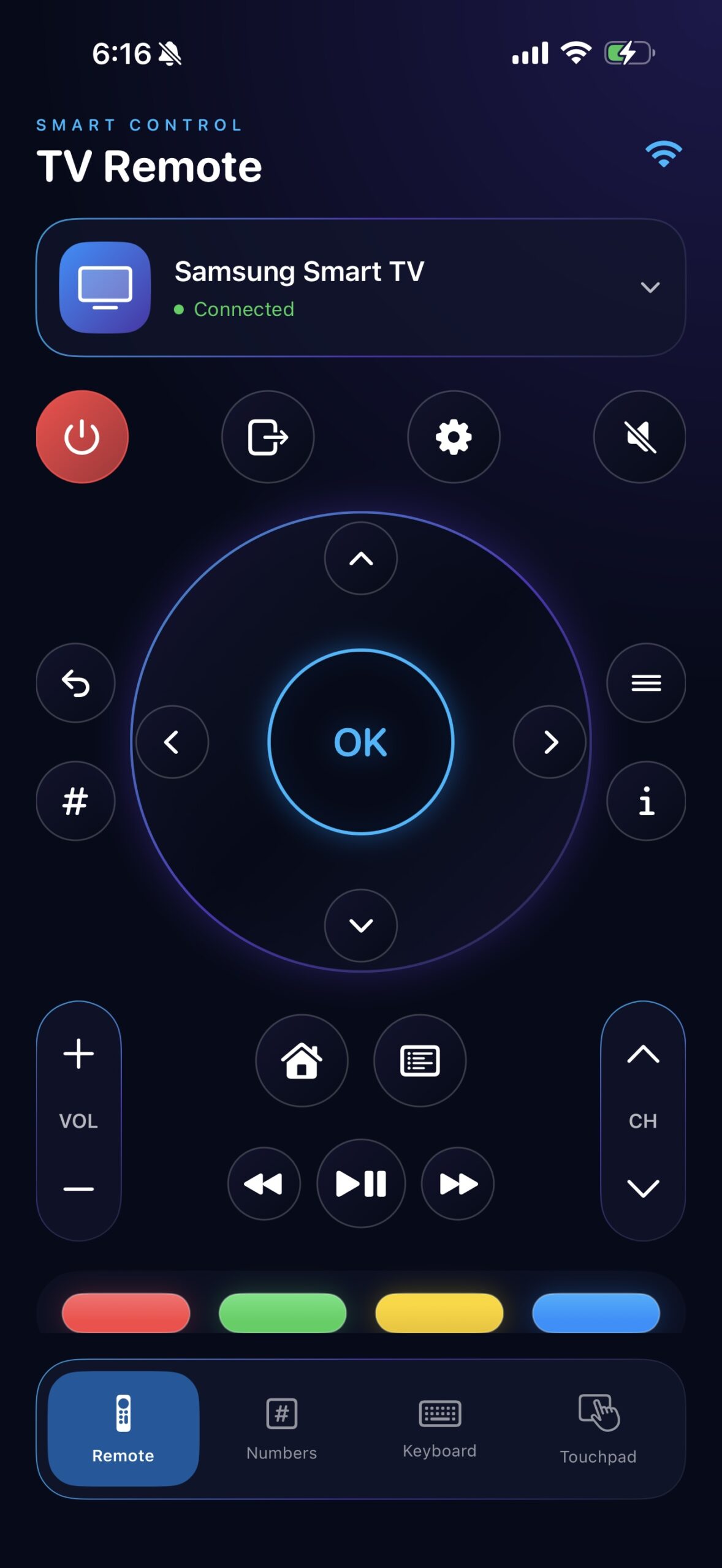
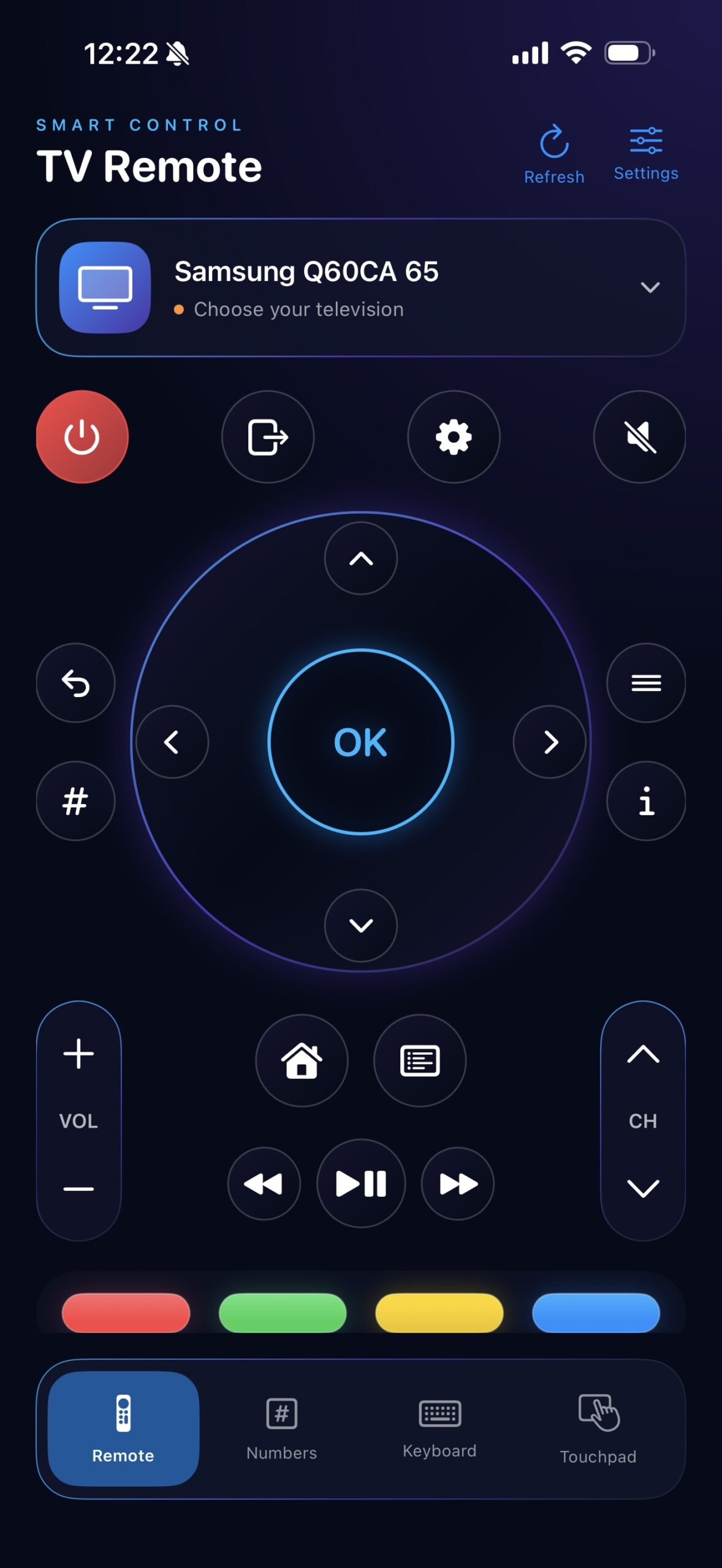
Navigate with the directional pad and OK button, open Home, go back, switch inputs, and adjust volume and channels from one clean interface.
Guided TV pairing
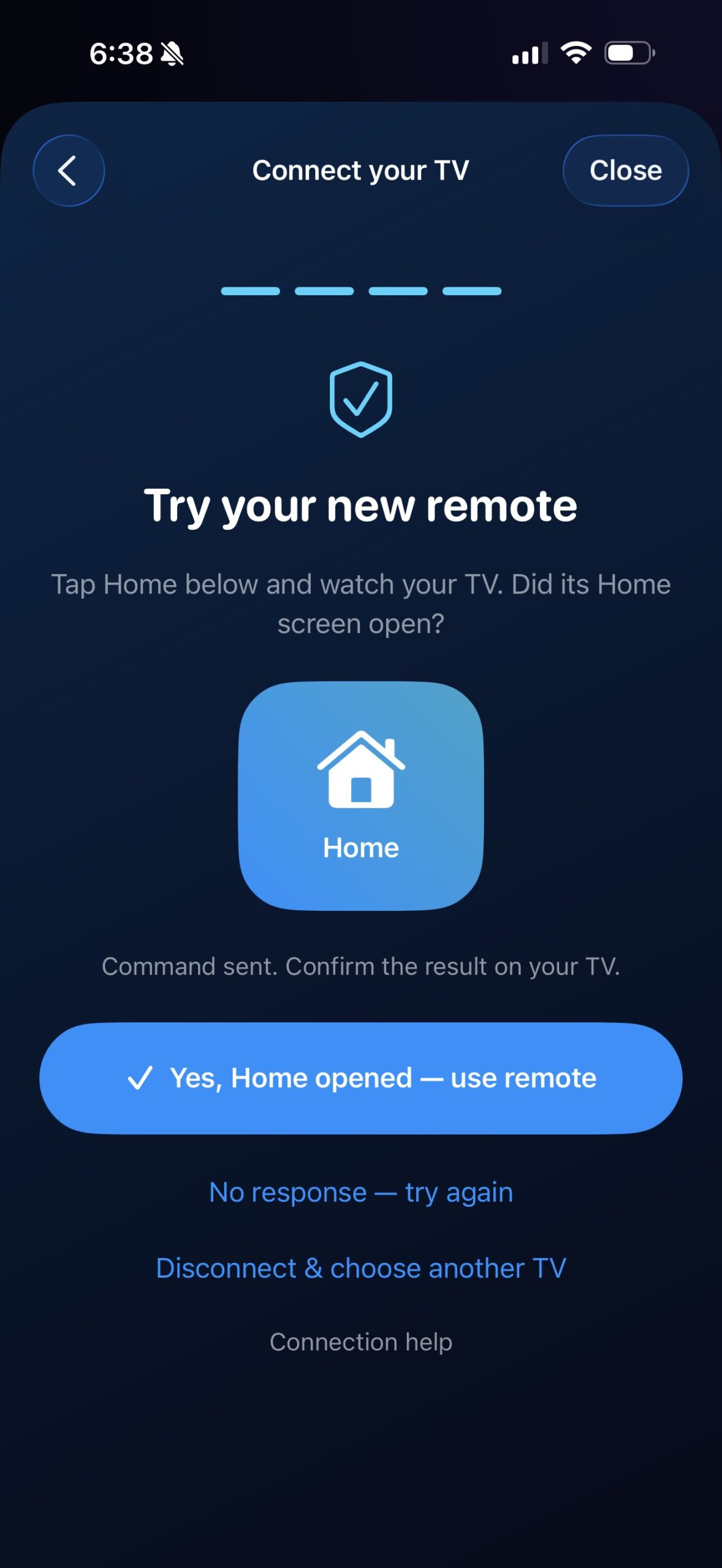
Find compatible Samsung televisions on the same local network, select a device, approve the connection on the TV, and test the Home button.
More ways to interact
Switch between the classic remote, number pad, keyboard, and swipe-based touchpad. Text entry support depends on the TV and the active app.
Saved televisions
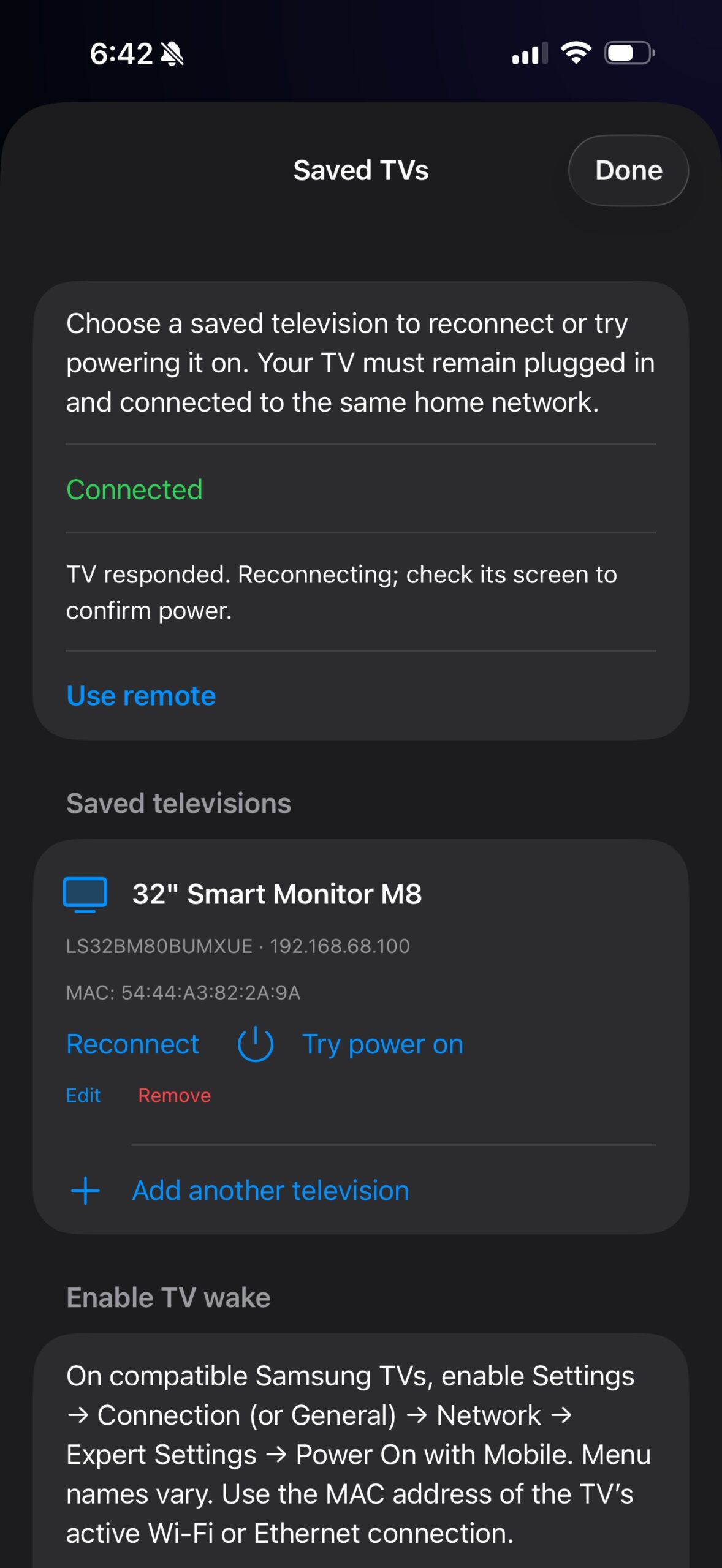
Keep previously paired TVs available for reconnection and manage multiple devices. Power-off control is supported on compatible televisions.
What’s Included
The complete Xcode project, editable SwiftUI source code, remote-control screens, TV discovery and pairing flow, saved-device management, and setup documentation. This is source code for developers to customize and build.
Compatibility & Setup
The iPhone and television must be on the same local network. Initial pairing requires the TV to be turned on and the connection request to be approved on its screen. Available commands and keyboard behavior vary by model, firmware, and TV app.
Power-on from standby is an experimental, device-dependent feature and is not guaranteed. It requires a compatible television with network wake enabled; a physical remote may still be needed. A saved TV can remain listed while disconnected.
An independent source-code project. Not affiliated with or endorsed by Samsung.